Accounting vs. operations
QuickBooks is strong for books, AR/AP, and tax-ready reporting — but dispatch teams still need load and driver workflow.
QuickBooks + Carrier TMS
For trucking companies searching for software that integrates with QuickBooks, Hawk Lane connects supported Carrier TMS workflows with QuickBooks Online on eligible paid plans. Hawk Lane helps small trucking fleets manage dispatch, documents, PODs, invoicing, expenses and settlements in one workflow — with QuickBooks Online integration available on supported paid plans.
QuickBooks stays your accounting system of record. Hawk Lane stays your trucking system of record. Integration scope is confirmed during Pro or Custom onboarding.
Cloud-based carrier TMS — no desktop download. Integration availability confirmed during onboarding.
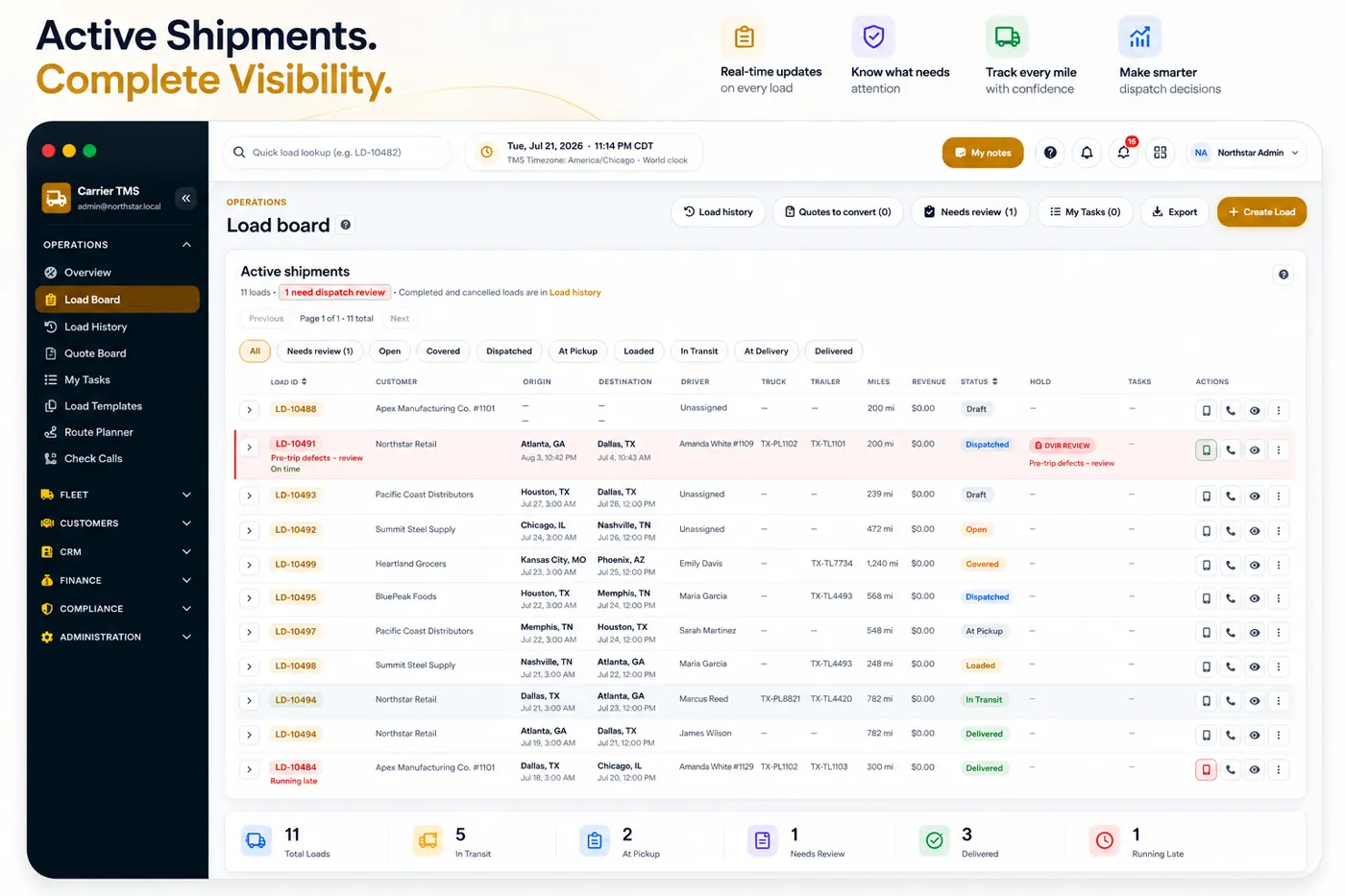
Hawk Lane does not replace QuickBooks. Its trucking TMS software organizes dispatch, documents, invoices, expenses, and settlements, then can connect to QuickBooks Online on Pro and eligible Custom plans. QuickBooks stays your accounting system of record. Read how QuickBooks and trucking TMS software work together. Request Free Access for the core TMS, then discuss Pro when you need QuickBooks Online.
QuickBooks can manage accounting, but it is not built to run daily trucking operations. Hawk Lane helps your team manage loads, drivers, documents, PODs, invoices and settlements before the final accounting step.
QuickBooks is strong for books, AR/AP, and tax-ready reporting — but dispatch teams still need load and driver workflow.
Rate confirmations, BOLs, and PODs live in texts, email, and camera rolls — not in your chart of accounts.
When billing rebuilds invoices in QuickBooks and settlements are calculated elsewhere, mismatches show up at month end.
Trucking companies need load income, costs, driver pay, and margin reviewed before numbers reach accounting.
Supported workflows may include customer records, invoice preparation, expense tracking, load-linked billing details and accounting review. Final integration behaviour depends on the supported QuickBooks Online setup and plan.
Keep customer and broker details organised in Hawk Lane so invoice preparation has consistent shipment context.
Prepare load-linked invoices using shipment, rate, and document information before QuickBooks review.
Track load-related costs and expenses so back-office review is easier before amounts move to accounting.
Keep billing details attached to the correct load so dispatch, billing, and accounting see the same operational truth.
Review driver settlements and load profitability in Hawk Lane before final accounting steps in QuickBooks.
Sync or export for QuickBooks Online review — exact field mapping and behaviour confirmed during onboarding.
Integration scope, field mapping, and supported workflows are confirmed during Pro or Custom onboarding — not assumed on every account.
One trucking workflow — operations in Hawk Lane, accounting in QuickBooks Online.
Asset-based carriers using QuickBooks Online who want dispatch, documents, invoicing and driver workflows connected instead of scattered across spreadsheets, emails and messages.
QuickBooks Online integration is available on Pro and eligible Custom plans. Integration availability, field mapping and workflow setup are confirmed during onboarding.
$199/company/month
Up to 20 active trucks · 10 staff users
Includes one supported standard integration — QuickBooks Online, Motive, or Samsara (pick one).
Quoted based on scope
For larger fleets or complex integration needs
Quoted when you need multiple integrations, QuickBooks Desktop review, EDI, historical migration, or custom workflows.
Hawk Lane supports QuickBooks Online integration on eligible paid plans, subject to account compatibility and setup requirements.
No. The Free plan includes core web TMS features. Integrations are available on Pro or eligible Custom plans.
No. Hawk Lane is a trucking operations platform. QuickBooks remains the accounting system.
Yes. Hawk Lane can help prepare load-linked invoices using shipment, customer and document information.
Yes. Hawk Lane supports load income, costs, driver settlements and profitability review depending on the selected plan.
QuickBooks Desktop requires separate review and should be treated as Custom unless explicitly supported.
Run loads in Hawk Lane. Keep books in QuickBooks. Reduce double-entry with a supported integration on Pro or Custom plans.
Request Free Access →