What this page covers
- PDF, CSV and email load-entry automation
- Check-call import and matched WhatsApp updates
- Dispatch notices through Microsoft Teams or WhatsApp
- Dispatcher review before a draft becomes a live load
Optional paid add-on
Reduce repetitive load entry without removing dispatcher control.
Hawk Lane can prepare reviewable draft loads from supported PDFs, agreed CSV mappings and authorised mailbox messages. Configured workflows can also log check calls, attach load documents and share approved dispatch or status updates through Microsoft Teams or WhatsApp.
These workflows are optional paid add-ons, separately quoted after Hawk Lane reviews your source documents, message channels, volume and validation rules.
Support is available in English, Hindi and Punjabi. This is not included with the Pro standard QuickBooks Online, Motive or Samsara integration.
Transport teams often retype the same shipment across PDFs, spreadsheets, email and messaging applications. TMS workflow automation brings supported information onto the matched Hawk Lane record while keeping exceptions visible to the office.
Hawk Lane remains the system of record. Microsoft Teams and WhatsApp do not replace Carrier TMS, the driver app or dispatcher review. AI Dispatcher — load–truck matching suggestions — is a separate capability.
Automated load entry starts with the tenders dispatch already handles. Supported formats prepare a reviewable draft load. Formats are confirmed during setup; not every PDF, CSV or mailbox layout works without configuration.
Read configured fields from supported rate confirmations, booking documents or consignment files. Prepare a draft load/job. Flag missing or conflicting values. Require dispatcher acceptance before the record becomes live.
Use an agreed column mapping. Validate required fields. Prepare multiple draft records. Send incomplete or duplicate rows to review.
Process messages from an authorised mailbox or approved email path. Use supported message content or attachments. Prepare a draft record and retain source context where configured. This does not mean every email format works without setup.
Status notes and paperwork belong on the shipment, not in a thread that dispatch has to search later.
Agreed status rows can be associated with matched loads and recorded in load history. Unmatched identifiers go to review instead of writing to the wrong shipment.
Authorised messages can update a matched load or add a check-call record after validation. Ambiguous matches wait for a person.
A supported POD, photo or document can be stored against a matched record instead of remaining in a message thread.
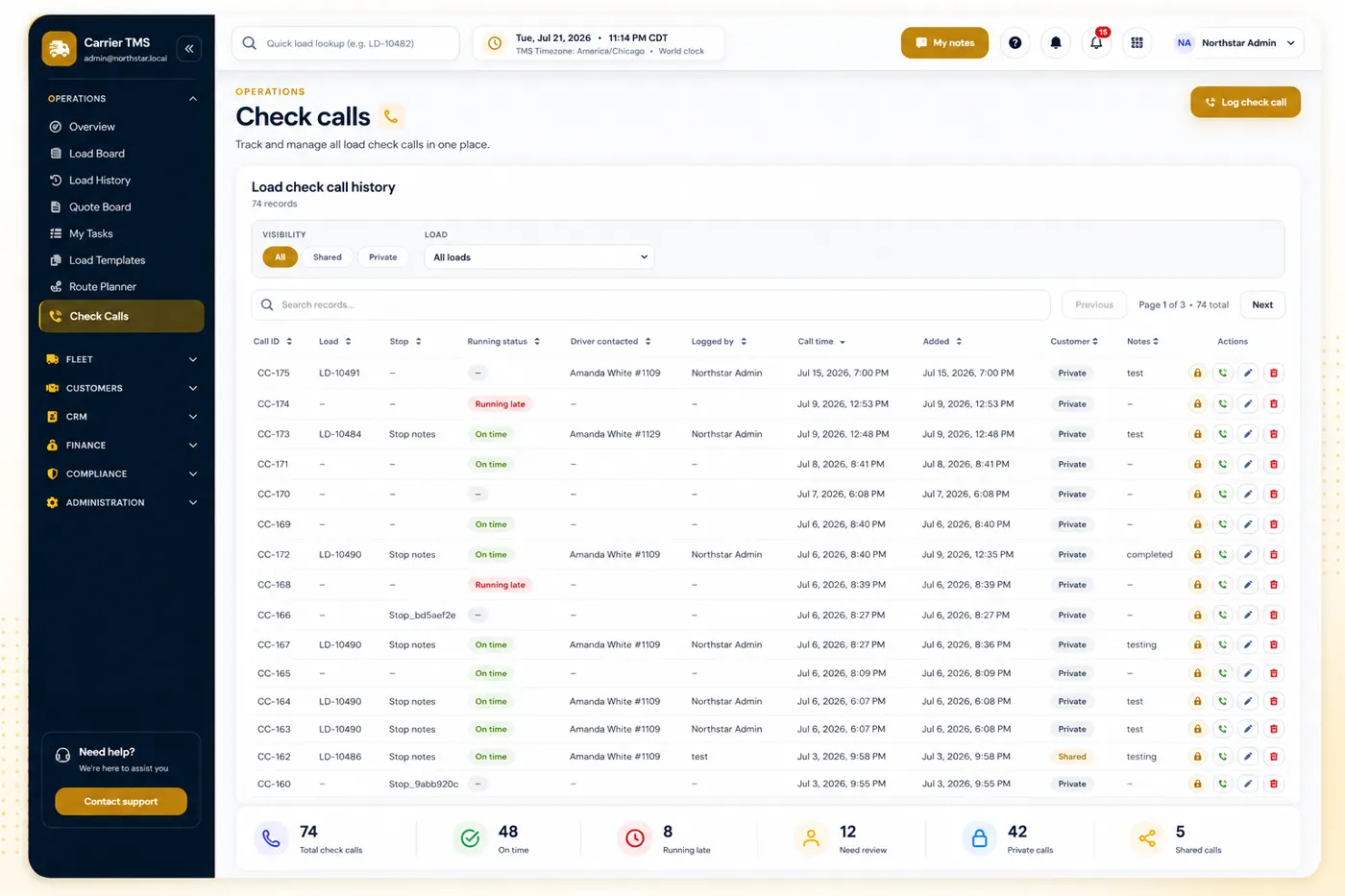
Configured assignments, pickup details, delivery details or status notifications may be shared through an approved Microsoft Teams channel or WhatsApp recipient. Hawk Lane remains the system of record. Teams or WhatsApp does not replace the TMS, the driver app or dispatcher review.
Every configured path follows the same control: extract, validate, draft or match, then authorised acceptance.
Most teams should begin with one high-volume source, such as supported rate-confirmation PDFs, a regular CSV layout or an authorised booking inbox. Once that path is stable, additional message channels or document workflows can be added through a separately scoped configuration.
Workflow automation is not included automatically in Hawk Lane's Free, Growth or Pro monthly plan price. Each workflow is quoted separately based on source formats, field mapping, validation rules, message volume, account permissions, third-party availability, testing and support. Third-party platform and usage charges may apply.
The Pro standard integration — one of QuickBooks Online, Motive or Samsara — does not include PDF, CSV, email, Microsoft Teams or WhatsApp workflow automation. No fixed automation price is published on this page.
Tell us the inbound source, the weekly volume and the outcome you need. Support will review whether a supported PDF, CSV, email, check-call, Microsoft Teams or WhatsApp path can be configured. This is a workflow-automation enquiry — not Free Carrier TMS access.
A supported format can prepare a reviewable draft load. Dispatch must verify and accept it before live use.
Hawk Lane can map an agreed CSV layout and prepare multiple draft loads. Invalid, incomplete or duplicate rows must be routed to review.
Supported messages or attachments from an authorised email path can prepare a draft after the workflow is configured.
Configured WhatsApp workflows can share approved dispatch details, receive matched updates or check calls, and attach supported documents. Availability depends on account permissions and third-party compatibility.
Configured dispatch or status information can be shared with an approved Microsoft Teams channel after scope and permission review.
No. These are optional paid add-ons, separately quoted from the monthly TMS plans.
No. Draft, incomplete, duplicate and unmatched items remain subject to authorised review.
Share one inbound source — a supported rate confirmation, CSV layout or authorised inbox — and we will tell you whether it can be configured as a separately quoted add-on.
Discuss Your Workflow → Explore Carrier TMS