Assigned loads
Give drivers a clear place to work with the loads assigned to them, rather than reconstructing the job from separate office messages.
Assigned work • Shipment documents • Permission-based visibility
Hawk Lane’s fleet Driver App connects drivers with assigned loads, load details and shipment paperwork. Use it with Carrier TMS or discuss independently scoped access for your operation.
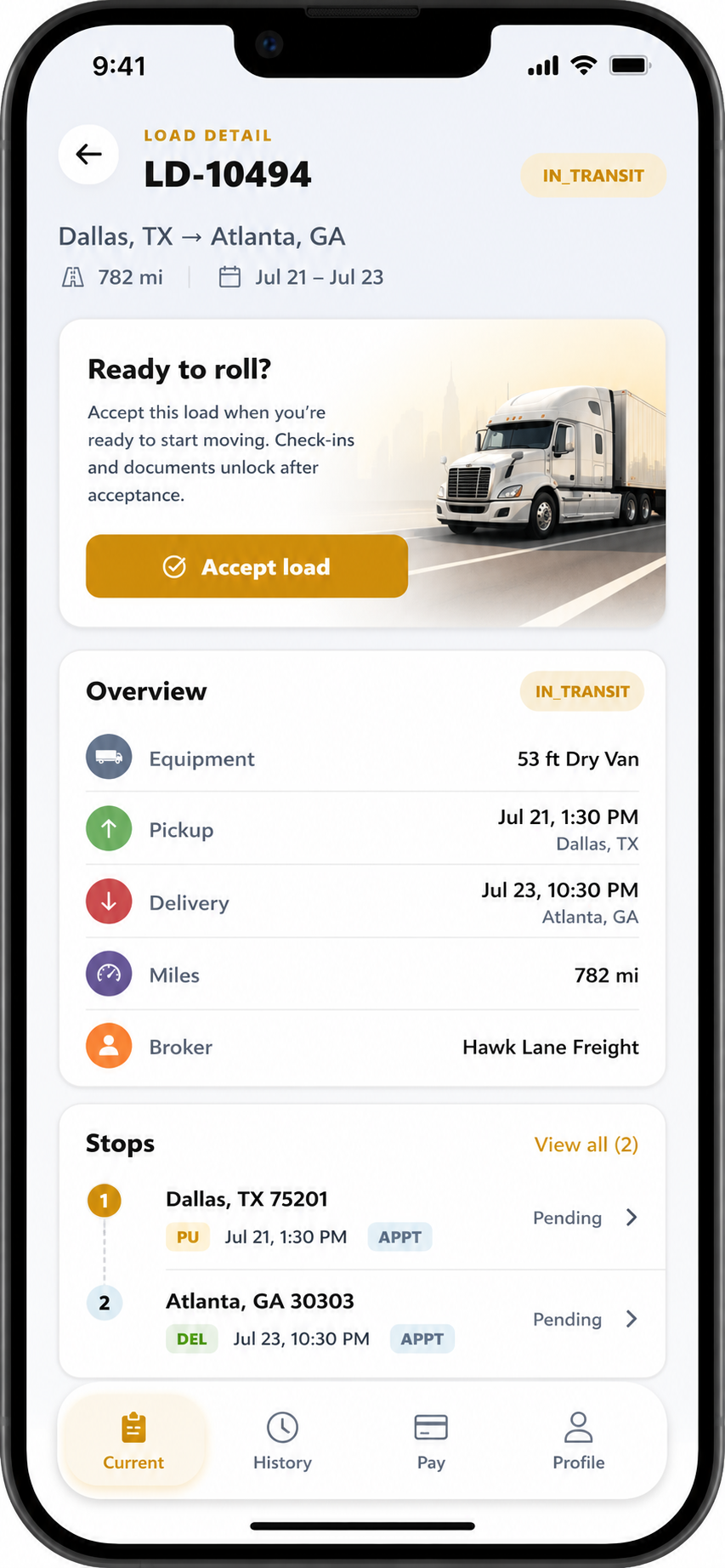
Give drivers a clear place to work with the loads assigned to them, rather than reconstructing the job from separate office messages.
Keep load information and its POD/BOL document workflow connected so the office can find the paperwork against the right load.
Location visibility is for the administrator and users with the relevant permission. Collection and update frequency follow the enabled plan and agreed configuration.
The office assigns the load and the driver opens the relevant load details.
The driver follows the enabled document workflow for that load, including shipment paperwork such as PODs and BOLs.
The office reviews the load and its documents in the operational workflow. Configured location visibility remains controlled by permissions.
Need the document-specific workflow? See proof of delivery software for trucking. The Driver App is the driver-facing part of the operation; the office dispatch board is explained on trucking dispatch software.
Hawk Lane can collect and share driver location according to the selected plan and customer requirements. The organisation administrator and users with location permission can view it. Confirm collection settings, the required update interval and the people who need access before enabling the workflow.
Update frequency is configured for the account; a single interval is not a promise for every driver or plan. Review the Driver App location privacy information and confirm the applicable settings with your organisation.
On US Carrier TMS plans, the Driver App is included with Growth, Pro and eligible Custom. Free Carrier TMS does not include the Driver App. Ask about standalone access if you need the driver workflow without moving the whole operation; its scope, setup, price and system connections are reviewed separately.
Need the full US Carrier TMS? Create a free Carrier TMS account, then upgrade when you need the Driver App. The Driver App is not included in Free.
For a one- or two-truck owner-operator who mainly needs a mobile place for loads, receipts and paperwork, compare Hawk Lane Truck Office / TMS App. It is a separate product from the fleet Driver App.
When hourly or day-based pay is selected, app login activity is recorded for the office to review. Payable hours or days still depend on the agreed rules and reviewed records. Use the hourly and day-rate settlement worksheet to prepare the inputs; review driver settlement software for pay, advances and adjustments.
It is for trucking companies and their drivers working with assigned loads and shipment documents. Owner-operators primarily looking for a mobile trucking office can compare the separate Hawk Lane TMS App.
On US Carrier TMS plans, the Driver App is included in Growth, Pro and eligible Custom. It is not included in the Free Carrier TMS plan. Confirm the enabled setup for your account before starting.
Hawk Lane modules can operate independently. Standalone Driver App scope, setup, price and any connection to your existing system are confirmed separately. Independence does not establish compatibility with every third-party TMS.
Your organisation administrator and other users granted the relevant permission can see locations. Collection and update frequency depend on the enabled plan and customer configuration; confirm the settings for your operation.
Location update frequency is configured by plan or customer requirement. Confirm the required cadence and access settings for your operation during setup.
This page describes assigned loads, shipment documents and configured location sharing. It does not offer an ELD, hours-of-service compliance or a truck-navigation service.
When hourly or day-based pay is selected, driver app login activity is recorded in the system. The office reviews payable time and the relevant pay rules; recorded app activity is not an hours-of-service record.
Tell us how you work today. We will confirm the relevant scope, permissions, plan and setup before you start.
Talk to Hawk Lane →