Documents Everywhere
PODs and BOLs live in photos, texts, and email threads that are hard to find when you need to get paid.
Mobile trucking office software
Truck Office is a mobile TMS for owner-operators and small trucking companies running one or two trucks. It organizes loads, documents, and expenses without the overhead of a full fleet TMS.
Use the Truck Office app on your phone to keep loads, PODs, BOLs, receipts, and operating expenses organized.
Mobile truck office software for 1–2 truck operations — not a full fleet system.
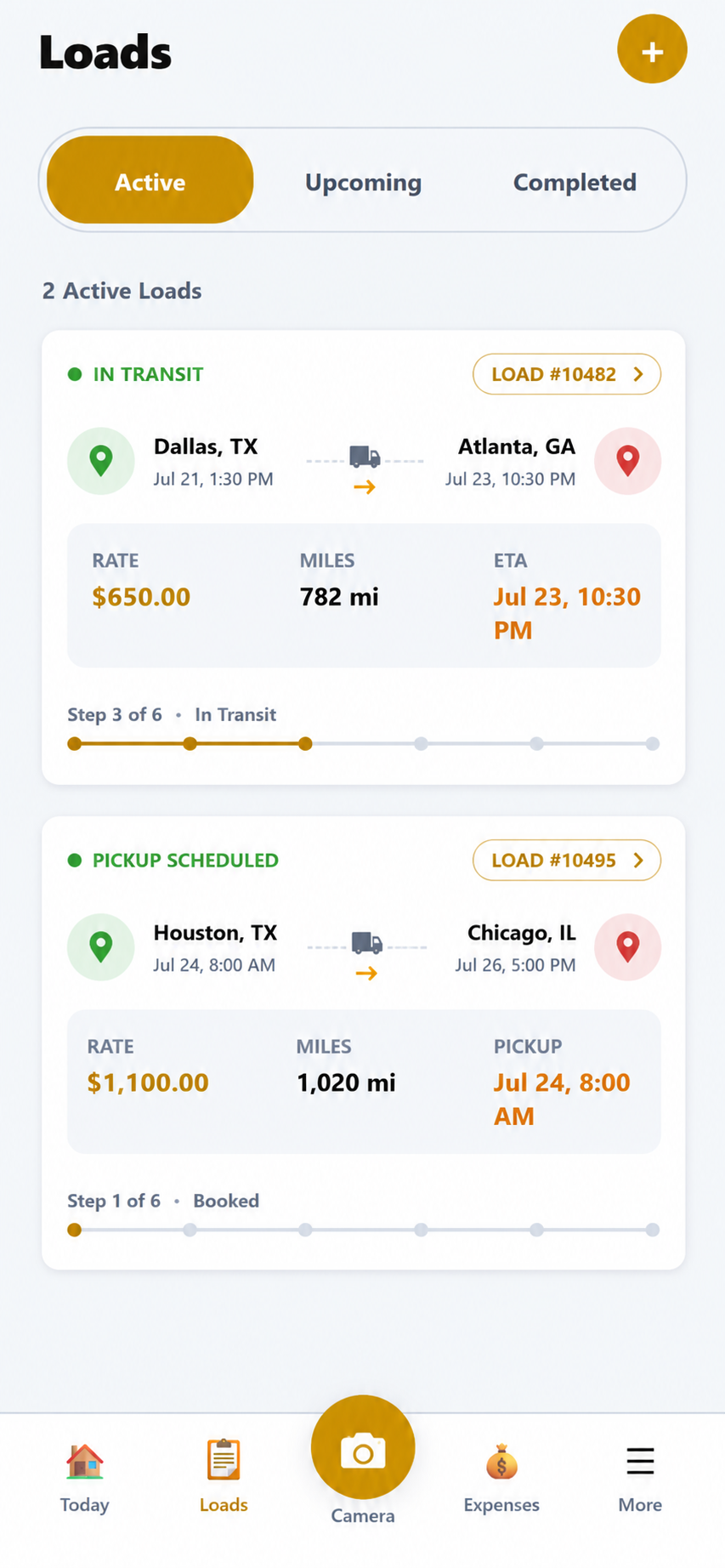
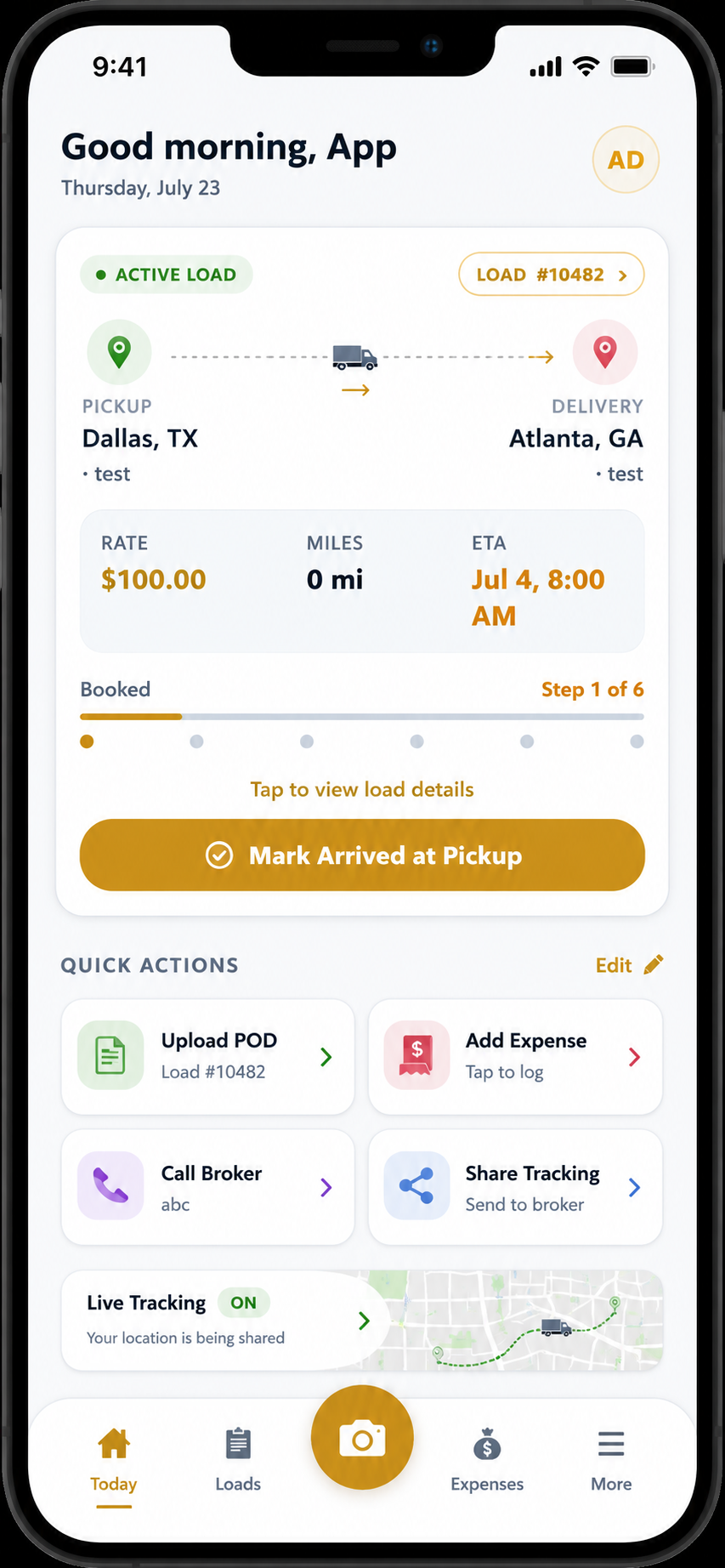
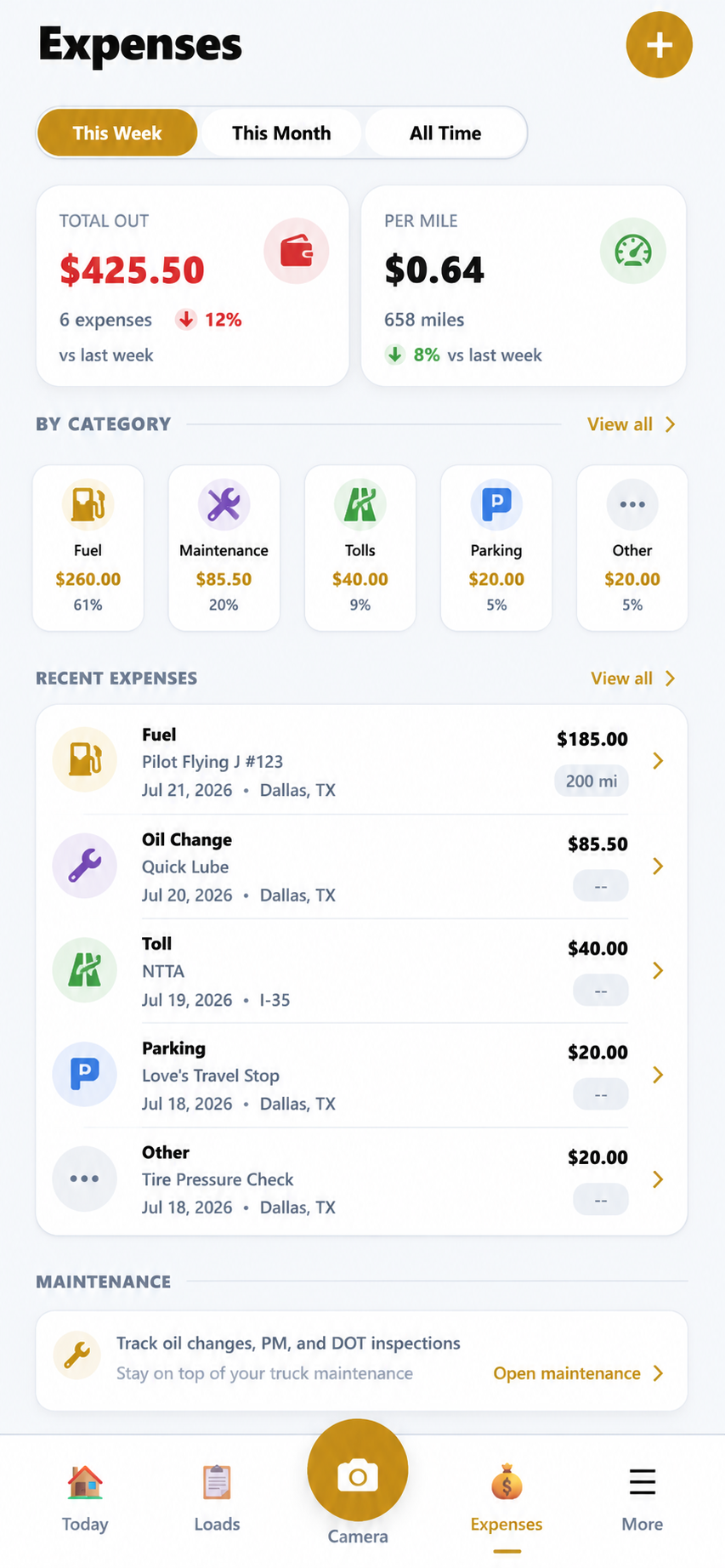
Truck Office is a mobile TMS for owner-operators and small trucking companies running one or two trucks. It keeps loads, documents, PODs, BOLs, receipts and expenses in one app instead of texts, camera rolls and notebooks.
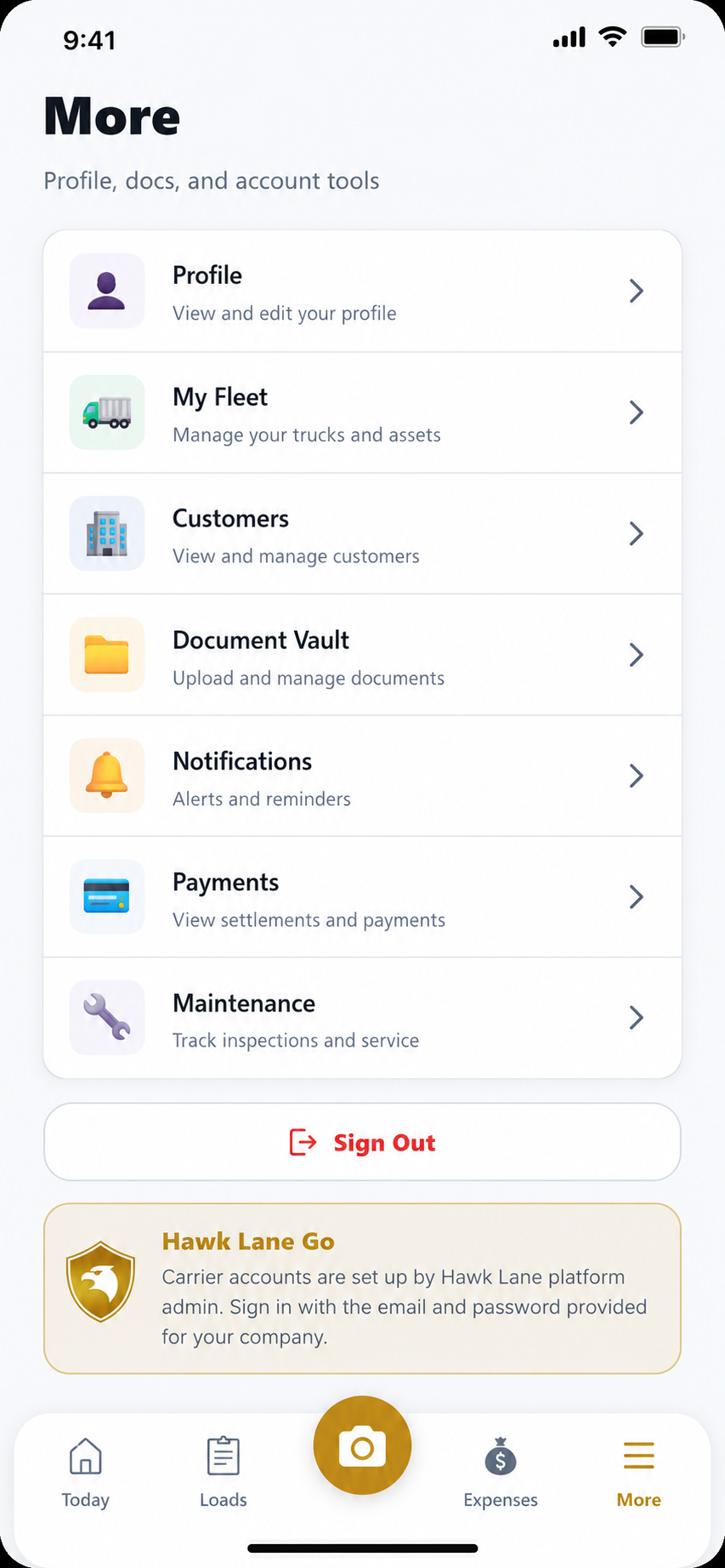
Real screens from the Truck Office app — active loads, expenses, documents, and account tools built for life on the road.
Growing past 1–2 trucks? See Simple Carrier TMS. Brokering freight? See Simple Broker TMS.
Owner-operators often manage loads, rate confirmations, PODs, and receipts across texts, email, camera rolls, and notebooks. A full TMS is overkill — but no system at all gets expensive fast.
PODs and BOLs live in photos, texts, and email threads that are hard to find when you need to get paid.
Pickup times, rates, and broker details get lost when everything depends on memory and chat threads.
Many systems assume dispatchers, drivers, and multi-truck workflows you do not need yet.
When paperwork is incomplete, invoices wait — and cash flow suffers.
You need something that works from the cab on your phone — not a desktop stack built for an office.
Starting simple is smart — as long as you can upgrade when you add trucks or drivers later.
Truck Office keeps the daily workload for a 1–2 truck operation simple — mobile load management, expenses, and digital paperwork in one place.
Manage PODs, BOLs, receipts, and load documents without hunting through your camera roll.
Keep pickup, delivery, and trip details organized for the loads you are running.
Built for life in the cab — run Truck Office from your phone, not a heavy desktop suite.
Reduce retyping and lost files so getting paid is not a scavenger hunt.
Designed so you can get organized without weeks of TMS training.
When you add trucks or drivers, Hawk Lane Carrier TMS is the natural next step.
Choose the product that matches how you operate today. If you need trucking software with a driver app for multiple drivers and a dispatch desk, Carrier TMS is the better fit.
| Your situation | Better fit |
|---|---|
| 1 truck, you drive and run the office | TMS App (this page) |
| 1–2 trucks, paperwork is the main pain | TMS App |
| Drivers who need an app + dispatch desk | Carrier TMS |
| Settlements, multi-truck billing, customer logins | Carrier TMS |
| You only broker freight (no trucks) | Broker TMS |
No enterprise onboarding theater — just the steps that matter for a small 1–2 truck operation.
Capture the basics: customer or broker, pickup, delivery, and rate details.
Keep status and notes with the load while you are on the road.
Attach RateCons, BOLs, PODs, and receipts to the right load.
Find what you need faster when it is time to invoice or send paperwork.
Move up to Carrier TMS if you add trucks, drivers, or fuller ops needs.
We are onboarding a limited number of owner-operators who want a simpler app workflow and can share practical feedback from real loads.
Hawk Lane is actively improving with feedback from real owner-operator workflows.
Join the Founding Owner-Operator Program →We keep onboarding light — start with a few real loads, get comfortable, then bring the rest of your paperwork into the app.
Request access to get started
Tell us how you currently manage loads and documents
We help you get set up in the TMS App
Start with a small number of real loads
Get direct support in English, Hindi or Punjabi as you adopt the app
Hawk Lane focuses on practical trucking workflows — from mobile Truck Office software for 1–2 trucks to Carrier TMS when you grow. Support is available in English, Hindi and Punjabi. Reach us at (626) 750-0970 or support@hawklanetech.com — 30 N Gould St Ste N, Sheridan, WY 82801.
Yes. Truck Office is Hawk Lane’s mobile TMS app for owner-operators running one or two trucks. It focuses on loads, documents, PODs, BOLs, receipts and expenses without the overhead of a full fleet TMS.
It is designed for 1–2 truck operations, including owner-operators and very small carriers, that want a simple mobile app for loads, documents, and expenses instead of a full fleet TMS.
Yes. Truck Office is a mobile TMS for trucking companies with 1–2 trucks. It keeps loads, PODs, BOLs, receipts, expenses, and documents available in one app without the multi-user dispatch workflow of a full Carrier TMS.
The TMS App (Truck Office) is lighter and app-focused for owner-operators. Carrier TMS is the fuller product for fleets that need dispatch, driver apps, settlements, and multi-truck operations. See our Simple Carrier TMS page if you are growing past 1–2 trucks.
Usually no. If you mainly need to organize loads, PODs, BOLs, and receipts on your phone, the TMS App is the better starting point.
Yes. The app is built to keep load documents and basic trip details in one place so paperwork does not stay scattered across texts and camera rolls.
Yes. Many owner-operators start with the TMS App and move to Carrier TMS when they add drivers or need fuller fleet workflows.
Pricing depends on your operation and the features you need. Founding owner-operator participants may qualify for early-access pricing. Request Access or contact us for a specific quote.
Submit the access form, tell us you run 1–2 trucks, and the Hawk Lane team will contact you to get Truck Office set up.
Yes. Support is available in English, Hindi and Punjabi by phone and email.
Tell us about your operation. Our team will contact you to start Truck Office with onboarding help — no credit card required.
See how Hawk Lane Truck Office helps 1–2 truck operations organize loads, expenses, and documents in a mobile app — without a full fleet TMS.
Guided setup available for qualifying owner-operators.